
Pay a Champaign County Case on myChampaignCourts
After locating a case online, follow the instructions below to pay your case.
Note: seeLink to a Champaign County Casefor help locating a case online.
- Select Pay fine or Pay and include Traffic Safety Program

Note: If including the Traffic Safety Program, complete the prompts before continuing to step 2.
-
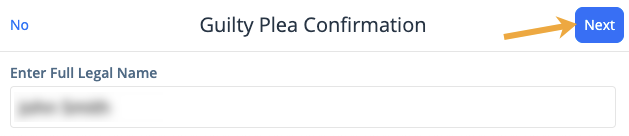
Enter the Full Legal Name to plead guilty and click Next
-
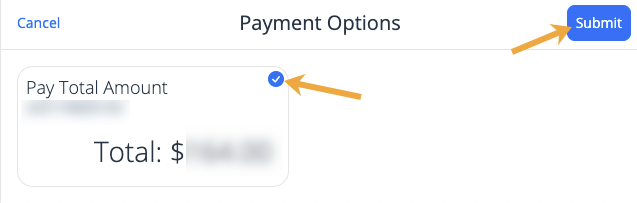
Select the blue circle for the case you wish to pay and click Submit
-
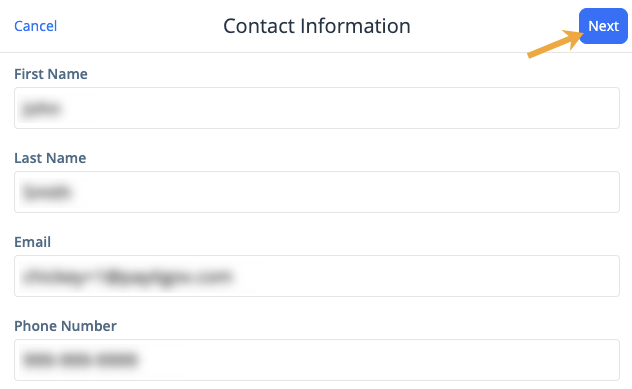
Enter your Contact Information as the payer and click Next
-
Review the summary and click This looks good, or choose I need to change something to make changes

-
Review the payment and click Add to cart

-
Click Go to cart

-
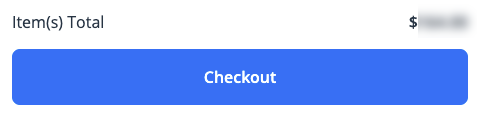
Review your cart and click Checkout
-
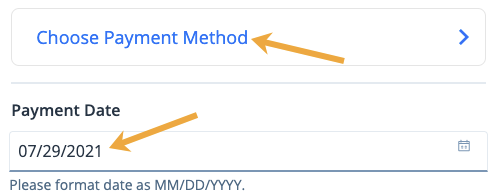
Enter the Payment Date (see Scheduling a Payment for more information). To add a payment method, or select a different payment method, click Choose Payment Method.
-
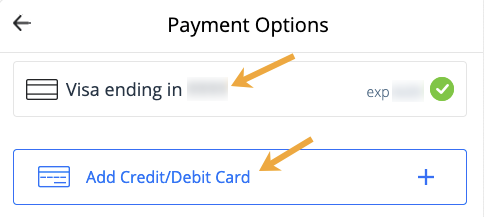
Select a payment method that you have already stored, or click Add Credit/Debit Card
-
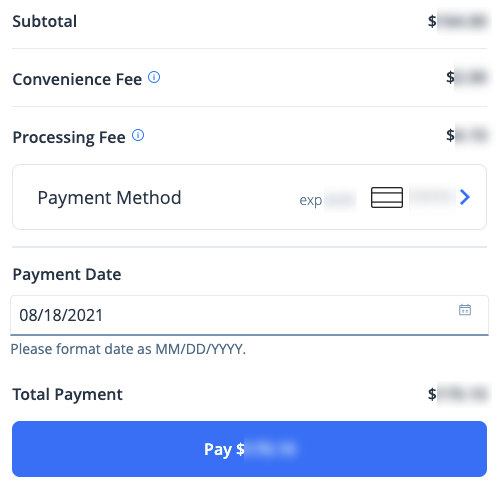
Review your payment summary and click Pay $--.--to complete your transaction
Receipts will be stored in your Profile (see Where can I find my receipts?) and also sent by email.